lundi 24 mai 2021

Download YouTube Vanced APK [Non-Root]

YouTube Vanced is a popular modded version of YouTube. It adds a number of features to the official YouTube app, including built-in adblocking, background playback, black/dark themes, and much more. This page has installation instructions and download links for non-rooted devices. YouTube Vanced for rooted devices can be found here.

Latest version of YouTube Vanced

The latest version of YouTube Vanced is 16.16.38.

Which Vanced should I choose: Root or Non-root?

In terms of user experience, there is virtually no difference between the root and the non-root builds.

Root variant: The root variant of Vanced seamlessly replaces the official YouTube app. As a result, you can directly open YouTube links or call them using Google assistant through the modded app.

Non-root variant: However, if you have a device that is difficult to root or you don’t want to root your daily driver on the first hand, you should opt for the non-root variant. It can be installed on a rooted device as well. Since the package name of the non-root variant is different from the stock YouTube app, they can co-exist. Note that you need to install an additional companion app (MicroG) to be able to log in with your YouTube/Google account. Moreover, you have to manually set Vanced as the default app for opening YouTube links. However, the non-root variant is simply easier to live with, so our recommendation is to stick with the non-root variant unless you really need to replace the stock YouTube app on your phone.

How to install YouTube Vanced Non-root variant with Vanced Manager

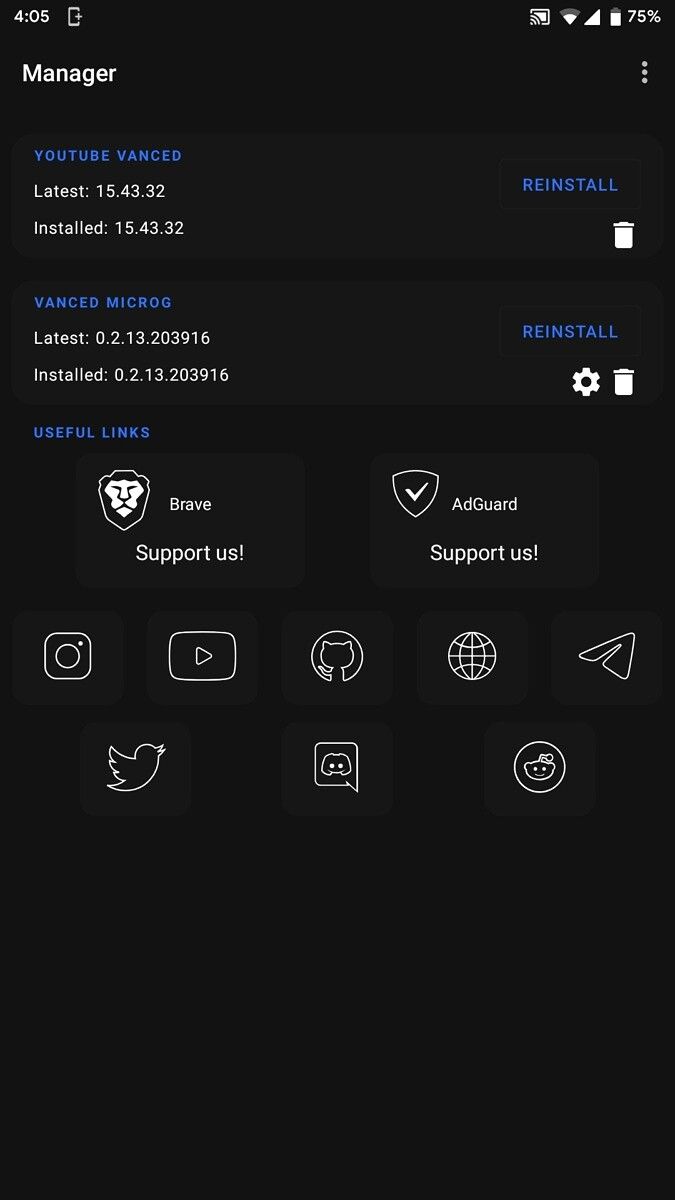
The YouTube Vanced team has created a new, easier method for getting Vanced up and running. Users can now simply install the Vanced Manager app and it will facilitate the process of installing MicroG and YouTube Vanced. Support for Vanced Music, i.e., a similarly modded version of YouTube Music is also there since version 1.3.0. The app makes it easy to choose which theme you want and to install future updates.
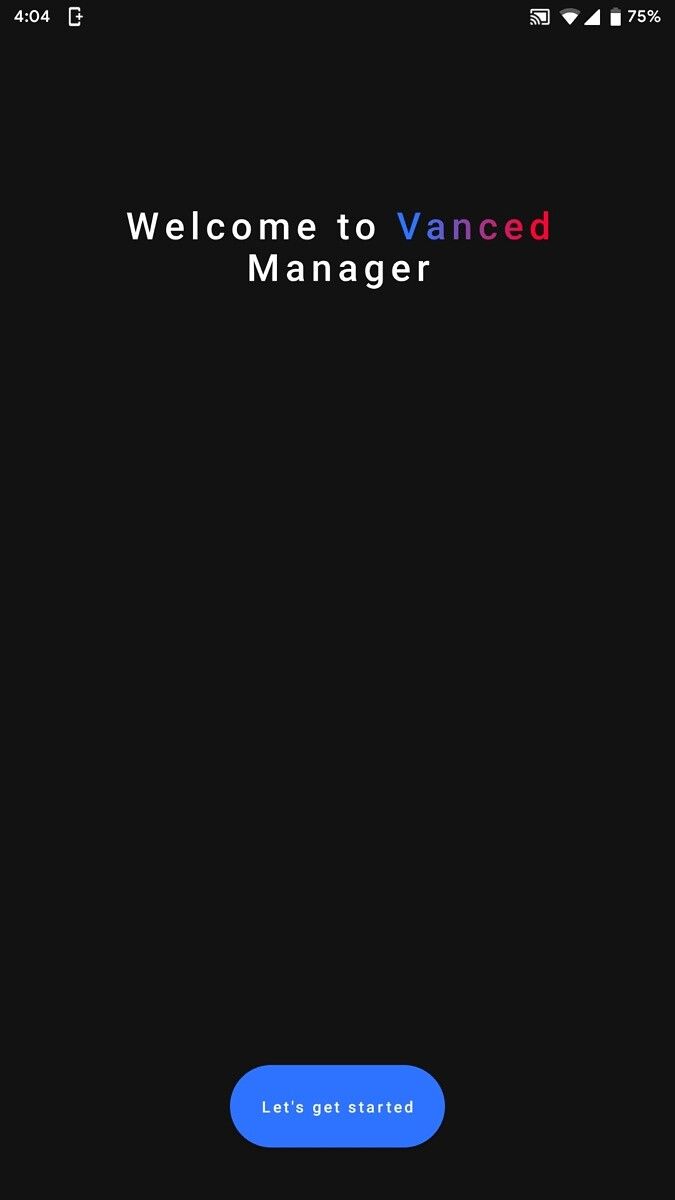
youtube vanced manager getting started youtube vanced manager non-root youtube vanced manager non-root menu youtube vanced manager non-root settings

Steps:

  1. Download the latest Vanced Manager from here on your Android device.
  2. Install the app and open it.
  3. Make sure to select “nonroot” during the initial configuration wizard.
  4. Tap “Install” next to MicroG.
  5. Follow the instructions to allow installing from unknown apps.
  6. MicroG will download and then you’ll tap “Install” when it’s ready.
  7. Next, tap “Install” next to Vanced.
  8. Select your preferred theme and tap “NEXT”.
  9. Select your preferred language and tap “FINISH”.
  10. Vanced will download and you’ll tap “Install” when it’s ready.
  11. Success!

Vanced Manager Downloads

Title Latest Version Codename MD5 Checksum
Vanced Manager 2.6.0 Crimson da6df973ae78789497d90598b020e447

Manual Installation

While Vanced Manager is always the recommended method for installing and managing the modded YouTube instance, power users may like to have more control over the installation process. In case you want to install YouTube Vanced without using Vanced Manager, you need to follow the steps mentioned below:

How To Install without Vanced Manager

  1. Install the latest Vanced MicroG APK if you want to log in with your YouTube/Google account.
  2. Find the suitable YouTube Vanced APK components for the target device and download them.
  3. Install the set of APKs using Split APKs Installer (SAI). You can download SAI from its GitHub repo, F-Droid, or Google Play Store.

Vanced MicroG Downloads

Title Latest Version MD5 Checksum
Vanced MicroG 0.2.18.210500 6b8a808e931a7d47c4c54b12191afb02

Non-Root Versions

Note that you may not find newer versions of YouTube Vanced as separately downloadable Split APKs.

YouTube Vanced Version APK Components
15.05.54

Note for Huawei/Honor users

Starting from v0.2.12-203316, Vanced MicroG has a special “Huawei” button in the login wizard. If you are running a Huawei (and Honor) device that doesn’t come with Google Play Services by default but you sideloaded them later, you can still login to your YouTube/Google account while using Vanced modded apps using that option.

The post Download YouTube Vanced APK [Non-Root] appeared first on xda-developers.


from xda-developers https://ift.tt/2RRIihU
via IFTTT

Qualcomm has a Snapdragon Developer Kit to test Windows apps

Qualcomm announced its Snapdragon 7c Gen 2 chipset today. Specifically, it’s aimed at entry-level laptops, just like its predecessor was. However, the company is introducing the Snapdragon Developer Kit for Windows, which includes the new SoC.

The idea is to give app developers an inexpensive way to test out their native ARM64 apps. While the amount of apps that need to be emulated with Windows on ARM has decreased, there’s still a barrier to entry. Qualcomm is trying to make it as easy as possible.

Powered by the Snapdragon 7c Gen 2 chipset, it’s also going to include things like .NET 5.0, Visual Studio Code, FFMPEG, LLVM, Chromium, Wix, and more. With x64 emulation currently preview, developers can test that out as well to see the benefit with a native ARM64 app.

Snapdragon Developer Kit with green background

“We have a proud history of creating helpful developer tools in coordination with Microsoft, and the Snapdragon Developer Kit is the latest outcome of that collaboration,” said Miguel Nunes, Senior Director, Product Management, Qualcomm Technologies, Inc. “This developer kit provides an affordable alternative to other consumer and commercial devices. With the smaller desktop configuration, this kit gives developers more flexibility than notebook options, and at a lower price point. We remain committed to helping developers address requests from customers, while reducing the overall cost of deployment.”

One company that’s committing to Windows on ARM is Zoom. Indeed, in Qualcomm’s announcement, Oded Gal of Zoom Video Communications promised that the firm will release a native ARM64 app this summer.

The Snapdragon Developer Kit is also set to arrive this summer. You’ll be able to buy one through the Microsoft Store. Pricing wasn’t made available, but it should only be a few hundred dollars. Qualcomm also said that more will be shared in the ‘What’s new for Windows desktop application developers’ session at Microsoft’s Build 2021 conference this week.

The post Qualcomm has a Snapdragon Developer Kit to test Windows apps appeared first on xda-developers.


from xda-developers https://ift.tt/3yxGosx
via IFTTT

Qualcomm announces Snapdragon 7c Gen 2 for entry-level PCs

Today, Qualcomm is introducing its Snapdragon 7c Gen 2 Compute Platform. It’s the next SoC that’s designed for entry-level Windows 10 laptops and Chromebooks. The first generation of the product saw some moderate success, bringing cellular connectivity to sub-$300 Windows 10 laptops in the educational space. It was also the chipset that allowed Qualcomm to bust into the Chromebook scene.

Just like we saw from last year’s Snapdragon 8cx Gen 2, the Snapdragon 7c Gen 2 is a minor refresh. In fact, it’s the same 150MHz clock speed boost.

Qualcomm is boasting features that it’s comparing to x86 systems that cost more than twice as much. Compared to a $349 Snapdragon 7c machine, the San Diego firm is touting things like sustained performance while using the battery, resuming from sleep in less than a second, over nine hours of battery life. fast charging, HD webcams, and a chassis that’s less than 15mm. A lot of this doesn’t exist at that sub-$400 space when it comes to Intel-powered PCs.

Snapdragon 7c Gen 2 reference design

“Snapdragon 7c Gen 2 brings the leading innovations of our compute portfolio to the next generation of entry-tier and affordable devices. Laptops powered by this platform will redefine mobile computing for education users, first line workers, and everyday light consumers, enabling
reliable and powerful devices that feature advanced AI, and support for multi-day battery life,” said Miguel Nunes, Senior Director, Product Management, Qualcomm Technologies, Inc. “We are excited to bring this next generation upgrade to our entry level platform, for the very best mobile PC experiences.”

These inexpensive devices also come with 4G LTE connectivity. That’s something that can be key for the educational space. These devices can make a real difference in areas where high-speed Wi-Fi isn’t as common. In fact, it could just be useful for a school that has a congested network.

Qualcomm Snapdragon with security logo

Qualcomm is promising enterprise-grade security, something it promises for all of its modern chips. The Snapdragon 7c Gen 2 supports Microsoft Secured-Core PCs, and Hyper-V is coming later this year for Windows on ARM. Of course, the integrated cellular connectivity is a security feature as well. Alongside Hyper-V, we’re also going to get support for x64 app emulation.

The Snapdragon 7c Gen 2 comes with an eight-core Kryo 468 CPU that’s up to 2.55GHz, an Adreno GPU with support for QHD 60Hz screens, a Spectra 255 ISP with 14-bit image signal processing, and Qualcomm’s fifth-generation AI Engine with the Hexagon 692 DSP. Aside from the clock speed, this should all sound like the original Snapdragon 7c.

You should see devices with the new chipset this summer, including a Snapdragon Developer Kit.

The post Qualcomm announces Snapdragon 7c Gen 2 for entry-level PCs appeared first on xda-developers.


from xda-developers https://ift.tt/3ffT2VB
via IFTTT

The best Samsung laptops include the Galaxy Book Pro, Galaxy Book S, and more

While Samsung doesn’t have quite the range of PCs compared to laptops from HP or laptops from Dell, it has a little something for everyone. The firm’s laptops range from extraordinarily thin and light clamshells to some of the finest Chromebooks around. If you’re on a budget, you’re covered there as well. These are the best Samsung laptops.

Navigate this article:

Best overall: Samsung Galaxy Book Pro

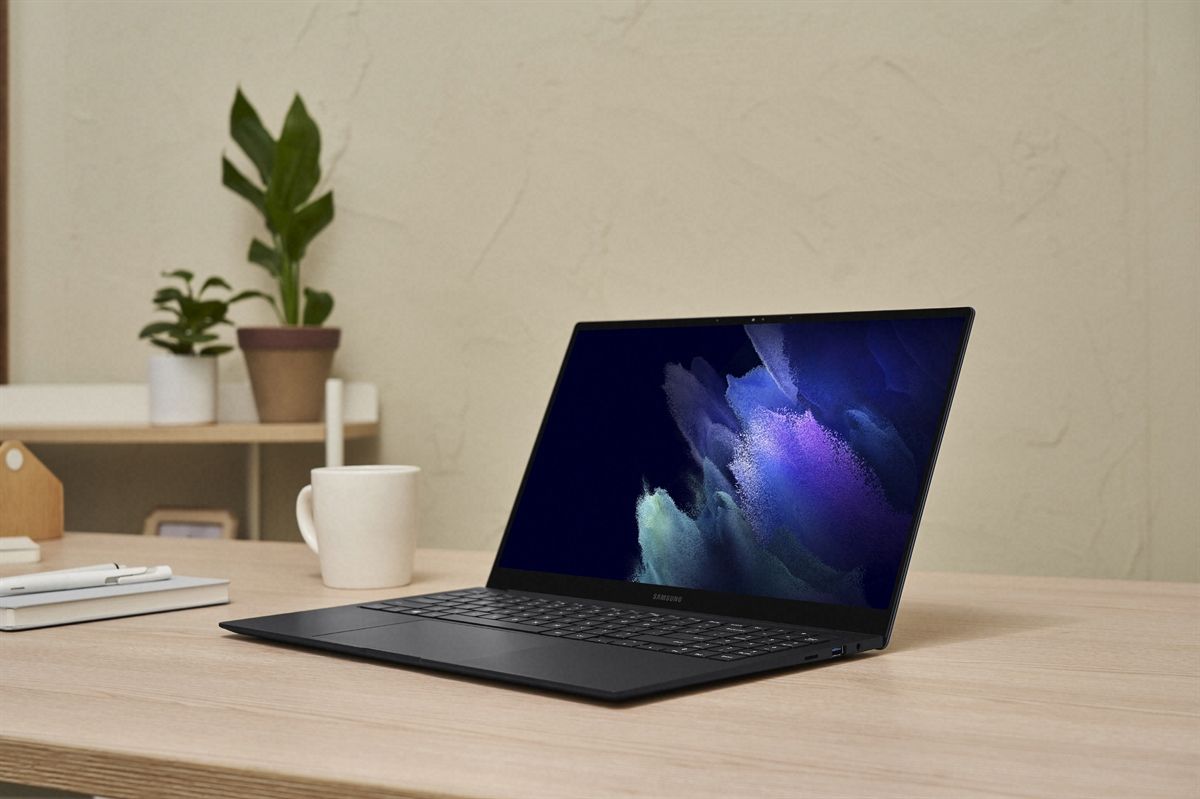
Galaxy Book Pro in black

Samsung’s Galaxy Book Pro seems to have it all. It comes with a 13.3- or 15.6-inch FHD display, but one thing that puts it over the competition is that it’s a Super AMOLED screen. That means that you’re going to get the vibrant colors that OLED is known for, but it’s not going to suck down battery life like the 4K OLED panels that everyone else is using.

Naturally, it comes with Intel’s 11th-generation processors, but it also has a bunch of apps that work well with your Samsung phone. Samsung Notes is there, so you can access all of the notes from your Galaxy Note device. There’s also Quick Share, which lets you easily share files between devices.

With the 13-inch model weighing in at 1.04kg, it’s improbably light, and it’s only 11.2mm thin. It starts at $999.

    Samsung Galaxy Book Pro
    Why can’t laptops be more like phones? They can when they have PC power that’s smartphone thin. Combining the latest Intel 11th Gen Core processor with Windows 10 OS and designed on the Intel Evo platform, Samsung Galaxy Book Pro comes in under two pounds, so it’s the perfect mix of portability and productivity.

Best thin and light: Samsung Galaxy Book S

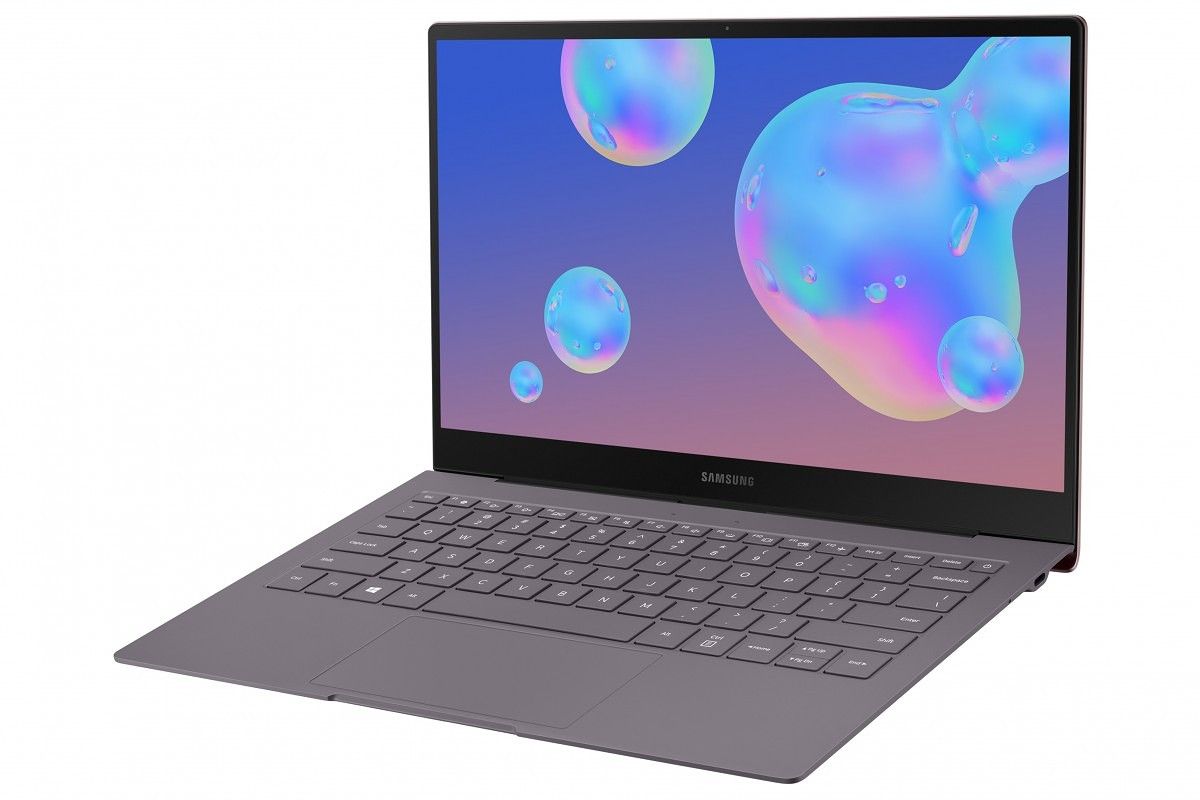
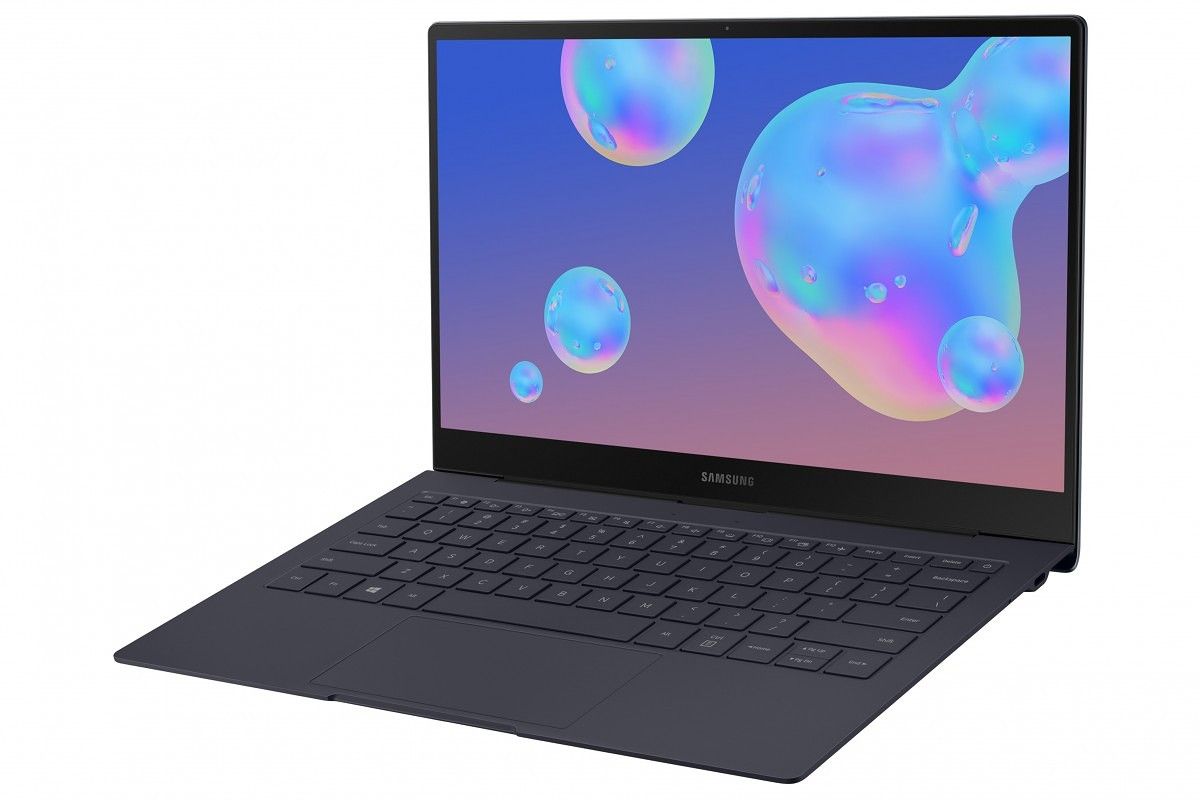
Samsung Galaxy Book S

If 1.04kg simply isn’t light enough for you, let’s try 0.95kg. That’s how much the Samsung Galaxy Book S weighs in at. It comes with either a Qualcomm Snapdragon 8cx chipset or an Intel Core i5-L16G7. The former comes with integrated 4G LTE as well, while the Intel model is Wi-Fi only.

This one is 11.6mm thin at its thickest point and 6.1mm at its thinnest, and if you’re looking for something that’s ultra-portable, this is it.

    Samsung Galaxy Book S
    Do everything super fast with the latest Intel Core i5 Processors with Intel Hybrid Technology to keep you connected, even when Wi-Fi isn’t available. Enjoy the freedom to take your work anywhere with a long-lasting battery and super-light chassis weighing just over 2 pounds.

Best convertible: Samsung Galaxy Book Flex2 ⍺

Galaxy Book Flex2 ⍺ in open and convertible positions

Samsung’s Galaxy Book Flex2 ⍺ has an FHD QLED touchscreen, 11th-gen Intel processors, and pen support. It’s just over half an inch thick, weighing in at 2.62 pounds. For something a bit beefier, the Galaxy Book Flex2 is also available.

    Samsung Galaxy Book Flex2 ⍺
    Everything you love in a Galaxy PC, taken further. The ultra-slim Galaxy Book Flex2 ⍺ sits at the top of its class with a super vivid QLED touchscreen, the latest Intel 11th Gen Core processor and a 2-in-1 design that transforms from a laptop to a tablet. With a super-fast-charging battery that lasts 18.5 hours and innovations galore, this Galaxy Book was made to exceed all expectations.

Best Chromebook: Samsung Galaxy Chromebook

Samsung Galaxy Chromebook

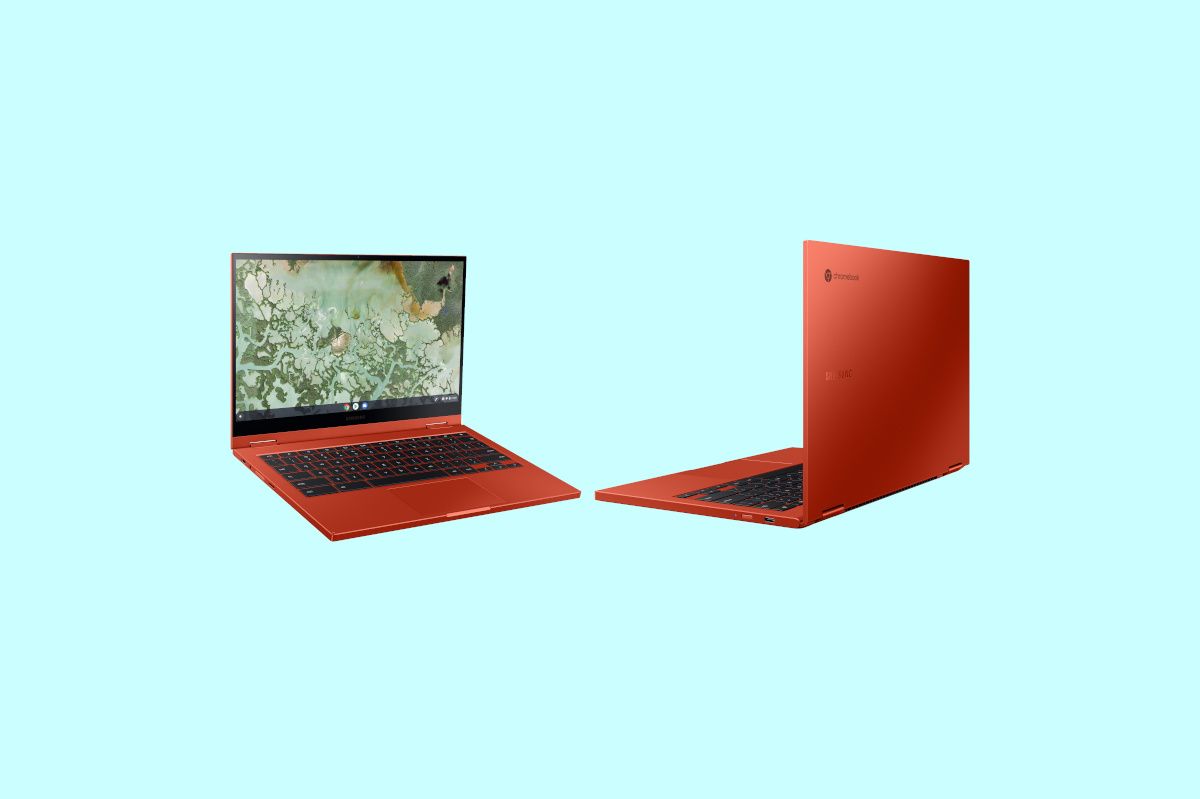
If you’re looking for a Chromebook but you still want the best, that’s where the Galaxy Chromebook comes in. This thing is wild, from the beautiful 4K AMOLED display down to the metallic Fiesta Red color with silver accents. But don’t worry if Fiesta Red is too flashy for you; it comes in Mercury Gray too. It’s easily one of the best Samsung laptops, no matter which operating system it runs.

It’s also a convertible, it comes with a pen, and it weighs in at just 2.29 pounds. This isn’t low-end hardware either, packing an Intel Core i5-10210U, 8GB RAM, and a 256GB SSD.

    Samsung Galaxy Chromebook
    Beautiful performance, even better looks. With its 4K AMOLED touchscreen, powerful processor, 360° convertible design and built-in pen, the new Chromebook's ready to knock any project out of the park.

Best Chromebook on a budget: Samsung Galaxy Chromebook 2

Samsung Galaxy Chromebook 2

Samsung’s Galaxy Chromebook 2 isn’t so much a successor to the Galaxy Chromebook, as much as it’s a more affordable version of it. Instead of a 4K OLED screen, it has an FHD QLED screen, and instead of a Core i5-10210U, it has a Core i3-10110U. It weighs in at 2.72 pounds, and while it comes in the same Fiesta Red and Mercury Gray colors, it doesn’t have the silver accents.

    Samsung Galaxy Chromebook 2
    Now work can be just as fun as play, thanks to the world’s first QLED Chromebook. Dive into your favorite past-times, study into the night or present your next big idea with a larger-than-life color display. Plus, with a powerful, fast Intel Core processor and a battery that works around the clock, this sleek, compact Chromebook has everything you need to stay connected and in the moment.

Samsung makes some really slick laptops, and they also have great display technology. Options like the Galaxy Book Pro and the Galaxy Chromebook have Super AMOLED displays, while the Galaxy Chromebook 2 has a QLED screen. The Korean firm has long been a Windows on ARM partner with its Galaxy Book 2 and Galaxy Book S, so it’s no stranger to cellular connectivity. And with its convertibles, you get S Pen support.

My top pick would be the Galaxy Book Pro series, either the clamshell or the convertible. It’s super-thin and it’s super-light, but it doesn’t sacrifice power to get there with Intel Tiger Lake processors and Iris Xe graphics. Plus, it has a Super AMOLED display.

The company also tries to make sure that its products all work well together, so if you’ve got a Galaxy phone, you’ll get some perks with a Galaxy Book. Samsung has a tight partnership with Microsoft as well, offering exclusive features like screen mirroring and Android app pinning in Your Phone on Windows 10.

If you want to check out more, take a look at our list of best laptops.

The post The best Samsung laptops include the Galaxy Book Pro, Galaxy Book S, and more appeared first on xda-developers.


from xda-developers https://ift.tt/3yDIIhU
via IFTTT

Here are the best Galaxy S21 clear cases you can get in May 2021: Spigen, Ringke, and more!

The Samsung Galaxy S21 series represents the best spec proposition from Samsung in quite a while. Not only does it continue the line that was established with the Galaxy S20 series and further refines some of its rougher edges, especially with the Galaxy S21 Ultra, we were also treated with things such as a price cut of $200. The Galaxy S21 and Galaxy S21 Plus, in particular, are noteworthy devices because not only do they take cues from their predecessors and the Note lineup, but they also take some of the things the Galaxy S20 FE did right as well. And one aspect that Samsung also publicized a lot is the colors. You probably want to protect your phone, but what if you want to show off that precious colorway? Then check out our list with the best Galaxy S21 clear cases money can buy.

If you’re looking for something that will give you a bit more protection, you should check out my other, more generalized, round-up of the best Galaxy S21 cases. If, on the other hand, you want something that gives you an extra layer of protection while not adding a lot of bulge and still showing your phone’s back design, then you’ve come to the right place. Let’s go!

    Samsung Galaxy S21 Official Clear Protective Cover

    For extra protection

    Samsung's official clear protective cover for the Galaxy S21 is as simple as it gets, but it comes with textured sides for added grip as well for extra protection.
    Samsung Galaxy S21 Official Clear Standing Cover

    Take a (kick)stand

    The official Samsung clear standing cover for the Galaxy S21 is just your average phone case with a kickstand: it's clear, provides protection, and allows you to place your phone upright.
    Samsung Galaxy S21 Official Clear Cover

    Barebones

    Don't need ribbed sides or a kickstand and just want an extra layer of protection? The official clear cover is as simple as it gets for an official accessory while still providing plenty of protection.
    Spigen Galaxy S21 Clear Case

    For cheap quality

    Official accessories are too expensive? We got you. This Spigen clear case is as quality as it gets on the cheap: it's durable, provides protection, and of course, it's clear: what else do you need?
    Ringke Galaxy S21 Clear Case

    As good as it gets

    Ringke is also a decent option for third-party cases and the Ringke clear case for the Galaxy S21 is no exception to this rule, providing good protection on the cheap.
    Coolden Galaxy S21 Clear Case

    Cheap protection

    This Coolden Galaxy S21 case is as basic as it gets, but that's not a bad thing here, as it provides drop and scratch protection while also showing off your back design.
    ESR Galaxy S21 Clear Case with Kickstand

    A cheaper kickstand

    This ESR Galaxy S21 case stands out from the pack of other cases as it features a handy kickstand while still keeping the sleek clear design that allows you to show off your back.
    Ferilinso Galaxy S21 Clear Case with TGSP

    Extra screen protection

    This Ferilinso Galaxy S21 case comes with extra screen protectors. Not only you can keep your phone looking exactly the way you want it to, but you can also protect the display at no extra cost.
    SPIDERCASE Galaxy S21 Clear Case

    Thin and light

    Want an option that is thin and light, and don't want to add too much bulk to your device? Well then, this SPIDERCASE clear case might just be what you're looking for.
    OtterBox Symmetry Clear Case

    Unmatched Quality

    Otterbox offers unmatched quality when it comes to cases that can take a beating, and if you want something that can actually take a beating while still showing your phone's design, this is a pricey, yet viable option.
    Coolwee Clear Glitter Case

    Glittered Accents

    This Coolwee clear case comes with glittered accents, in case you're into that and you want to compliment the looks of your phone rather than drown them out completely. It comes with glittered accents, yet still allows your phone to shine through.
    ANSIWEE Clear Case

    Way too colorful

    Don't like glitter but want to compliment your phone's looks in another way? This case comes with colored bumpers, leaving the back of your phone completely visible while adding an additional splash of color to your phone's borders as well.

These are our top picks for the best clear cases for the Galaxy S21. As you can see, we took the 3 official options Samsung gives us, and we also threw in several other third-party options that will be able to do the trick just fine. If you can afford to pay a premium for official accessories, then you really can’t go wrong with Samsung’s official cases, as they’re OEM-blessed and no one knows Samsung phones better than the company that makes them. If you can’t, though, then we recommend you to go with either Spigen or Ringke‘s options as they’re reputable case makers with a lot of experience. Other, more unknown case makers also have their advantages, such as ESR, which has a kickstand, and Ferilinso, which adds two screen protectors as a bonus with your case.

The post Here are the best Galaxy S21 clear cases you can get in May 2021: Spigen, Ringke, and more! appeared first on xda-developers.


from xda-developers https://ift.tt/36DEKJp
via IFTTT

Download 4K Videos on Android with this HUAWEI AppGallery App

If you download a lot of videos from YouTube, you might be finding yourself using third-party websites or low-quality apps. Since YouTube does not have any sort of native way to save videos, users have to find alternative methods to do this. 4K Video Downloader is the best way to download a video in the highest quality, for free. Not only do they provide a one-tap solution to download any video, but you can choose the quality and format you’d like to download. This gives more choices and control to the user, to make sure your download is compatible with your device, or project.

While 4K Video Downloader has the best desktop software for downloading videos, they are also available on Android. You can get 4K Video Downloader through the HUAWEI AppGallery, or through a direct APK install from their website.

Download 4K Video Downloader from HUAWEI AppGallery

If you have trouble downloading the app from the HUAWEI AppGallery, you can grab the APK from the official website here.

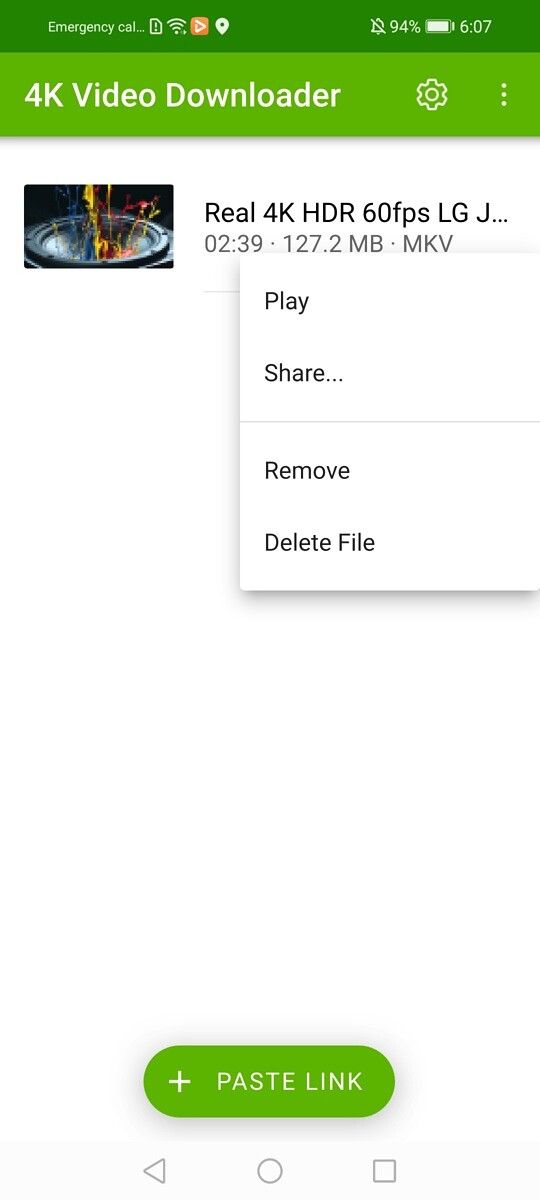
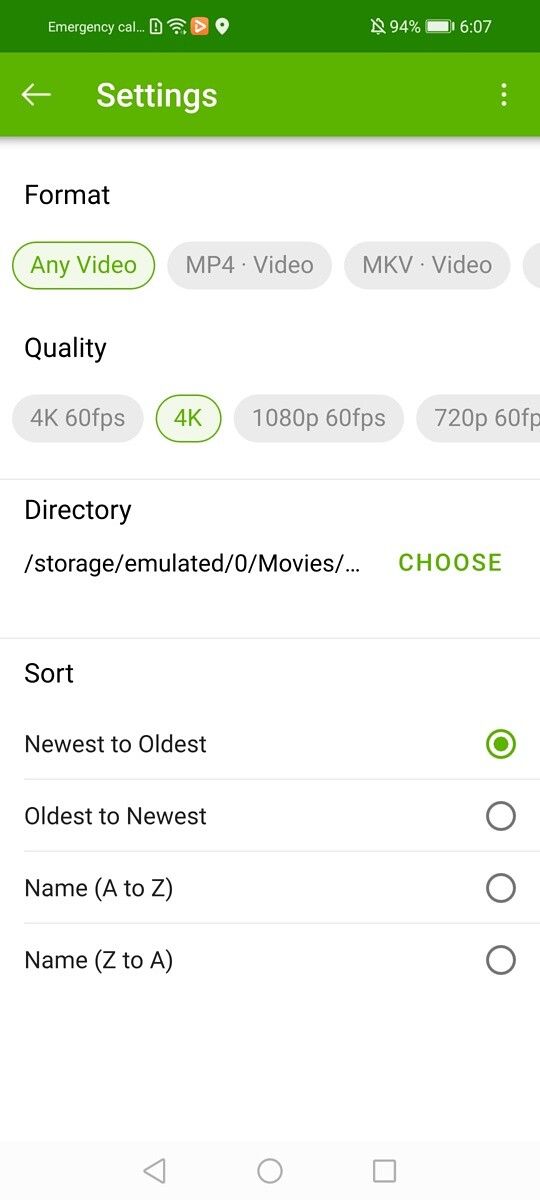
The Android version of this powerful app includes all of the same download settings as the desktop version. You can choose between many different formats and quality settings. You can even download videos in 8K quality.

The app is very simple to use. You can copy the URL of the video you want to download, then open the app and tap the “Paste link” button. Your video will immediately start downloading in your preferred settings.

Choose the format and quality of your video download

4K Video Downloader is used by casual and professional users everywhere. With the Android app, you can take this powerful software with you everywhere you go. Whether you need to download a podcast, song, video element, or anything that you can find on YouTube, 4K Video downloader is the best way to do it.

We thank 4K Video Downloader for sponsoring this post. Our sponsors help us pay for the many costs associated with running XDA, including server costs, full time developers, news writers, and much more. While you might see sponsored content (which will always be labeled as such) alongside Portal content, the Portal team is in no way responsible for these posts. Sponsored content, advertising and XDA Depot are managed by a separate team entirely. XDA will never compromise its journalistic integrity by accepting money to write favorably about a company, or alter our opinions or views in any way. Our opinion cannot be bought.

The post Download 4K Videos on Android with this HUAWEI AppGallery App appeared first on xda-developers.


from xda-developers https://ift.tt/2SnUs7u
via IFTTT

ASUS ZenFone 7 series development update: Kirisakura kernel and Android 11 ROM

ASUS earlier this month refreshed its flagship lineup with the launch of the ZenFone 8 series. The ZenFone 8 and Zenone 8 Flip offer top-tier specs while still costing considerably less than many of its Snapdragon 888-powered counterparts. However, if you own a ZenFone 7 or ZenFone 7 Pro from last year, you’ll find little reason to upgrade as, besides a marginally faster chipset and other incremental upgrades, there’s not a whole lot to get excited about. Besides, if you ever get bored of ASUS’ software, you can always take refuge in the world of custom ROMs and kernels. The ASUS ZenFone 7 and 7 Pro don’t have a long list of custom ROMs to try out, but they have an official build of OmniROM and official TWRP support. Now the device has received its first custom kernel.

ASUS ZenFone 7/7 Pro XDA Forums

The Kirisakura kernel for the ZenFone 7 family comes courtesy of XDA Recognized Developer / Recognized Contributor Freak07. As per the developer, the Kirisakura kernel provides a smoother UI experience while still offering the same battery life as the stock kernel. The kernel incorporates the most up-to-date CAF-Upstream kernel bases and offers the following main features:

  • Based on the latest kernel sources from Asus for Android 11 and intended for use on the latest Asus Stock-Firmware (currently 30.41.69.51)
  • compiled with Clang 12.0.5 and built with -O3 speed optimizations
  • Linux-Stable-Upstream included to 4.19.190
  • CAF base for the Snapdragon 865/+ (SD865/+) updated to upstream CAF
  • Kernel Control-Flow-Integration (CFI) andLink-Time-Optimization (LTO) ported from 4.19 kernel/common and Pixel 5/4/XL Kernel
  • Shadow Call Stack (SCS) Security-Feature
  • Use ThinLTO which was first used in the Pixel 4 XL Android R-Preview Kernel, instead of full LTO for full program visibility (needed by CFI)
  • Fix CFI-Violations found in various subsystems like Asus/device-specific drivers and Qualcomm drivers
  • Link the kernel with LLD and use RELR-Relocation
  • Include important fixes/improvements from kernel/common
  • Flashing the kernel will keep the root!
  • Flashable via EXKM, FKM, or TWRP on a rooted system!
  • Disable various debugging configs, that are not needed in a perf build kernel according to google.
  • Disable SELinux auditing (we don´t have to address SELinux denials running a stock from)
  • Display tweaks to reduce power consumption on statically rendered images

If all this sounds exciting to you, you can find more information, including the flashable kernel zip and step-by-step installation instructions at the linked thread below.

Download Kirisakura kernel for the ZenFone 7 series

In other development-related news for the ZenFone 7 series, OmniROM has been updated to Android 11. OmniROM for the ZenFone 7 series used to be based on Android 10, but XDA Senior Member micky387 recently released an Android 11 build with official support. Hit that link below to grab the latest build of OmniROM based on Android 11.

Download OmniROM based on Android 11 for the ZenFone 7 series

The post ASUS ZenFone 7 series development update: Kirisakura kernel and Android 11 ROM appeared first on xda-developers.


from xda-developers https://ift.tt/3uenl35
via IFTTT